

 Short sets
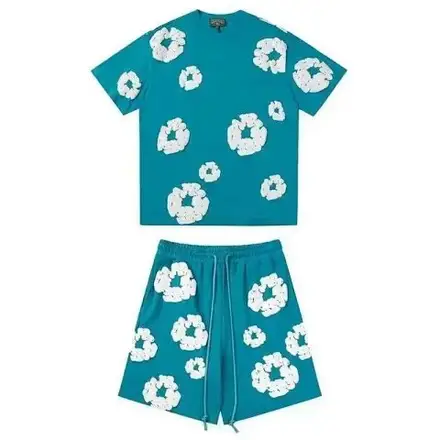
Running T-Shirt and Shorts Set
$53.17Weidian
Matching tops & shorts from FindSpreadsheet. Open a listing to check its source and available QC photos.
FindSpreadsheet catalog
Short sets Short sets
 Short sets
 Short sets
 Short sets
 Short sets
 Short sets
 Short sets
 Short sets
 Short sets
 Short sets
 Short sets
 Short sets
 Short sets
 Short sets
 Short sets
 Short sets
 Short sets
 Short sets
 Short sets
 Short sets
 Short sets
 Short sets
 Short sets
Compare the listing details, shipping options and the QC photos available for your item.
Confirm whether the price covers both pieces or only the selected component. Check size options for each piece and compare top and bottom measurements separately.
Check whether the displayed price is for the set or one selected piece. If tops and bottoms allow different sizes, record both selections and compare their measurements separately.
Open a product to compare the seller listing and available options. Record the Weidian ID, selected size or model, color and quantity so you can check the warehouse photos against the actual order.
Include every piece in the packed weight. Compare the parcel after the warehouse confirms quantities and packing, especially when ordering several sets.
Use the same destination and item quantity when you compare packing choices. Save the estimate date, route, chargeable weight and outside dimensions. Recheck the route after packing or if you add another item, and check whether extras are included in the quote.
Seller-to-warehouse delivery and international shipping are separate charges. Enter your destination, actual item type and packed weight in kilograms, then add outer parcel dimensions in centimeters. Compare available routes and confirm the current quote on Pikobuy before paying.
Ask for a single photo showing everything included, then verify the size tag of each piece and the color match. Request separate measurements for the top and bottoms if fit is uncertain.
Ask for all pieces in one photo, then request each size tag separately. If you order more than one set, count complete sets before comparing packed weight and dimensions.